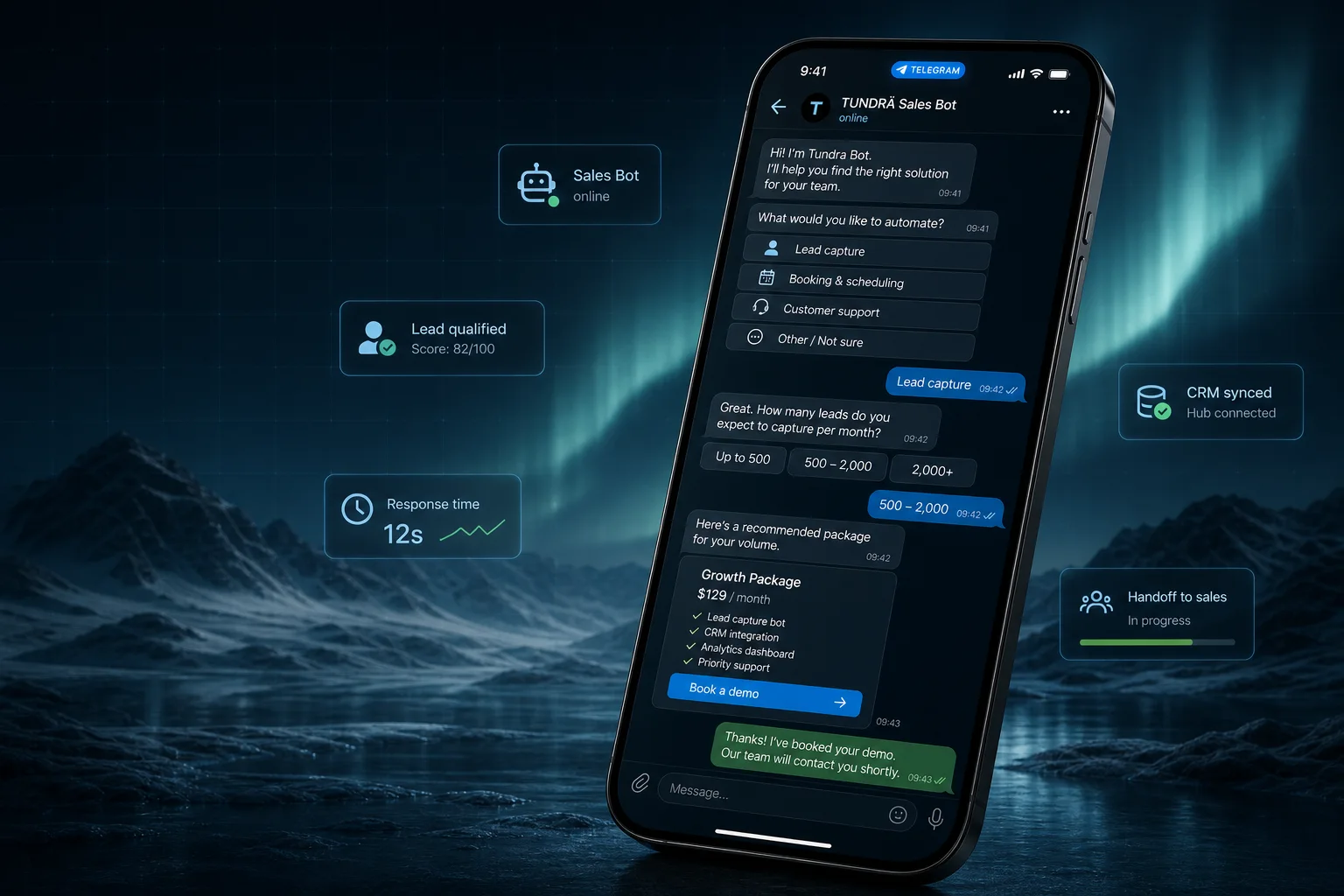
Website chatbot development
Convert website visitors before they leave.
TUNDRÄ builds website chatbots that answer from your business content, qualify visitors, capture contact details, route high-intent conversations, and hand off to humans when automation should stop.
- Website embed
- Business-trained answers
- Lead capture
- CRM and analytics
website chatbot development Live scope preview
Scope Ready for estimate
Scope
A website bot should not be a pop-up that annoys everyone.
The commercial value comes from helping the visitor complete a job: understand the offer, check fit, answer a question, book a call, or send a qualified lead to your team.
- Answer high-intent questions on service, pricing, support, and comparison pages.
- Replace vague contact forms with conversational qualification and routing.
- Use logs to learn which questions your page still fails to answer.
Use cases
Website chatbots work best when they match page intent.
The bot should behave differently on a pricing page, service page, documentation page, and contact page.
Lead capture and qualification
Ask what the visitor needs, budget, timeline, company size, and contact details, then route the summary.
- Need
- Budget
- Timeline
- Contact
Support and FAQ deflection
Answer from approved docs, policies, product pages, and help content, then escalate unresolved questions.
- Knowledge base
- Fallbacks
- Escalation
- Logs
Appointment or demo intake
Collect service type, preferred time, contact details, and qualification fields before sending users to a calendar.
- Service type
- Fit check
- Calendar route
- Reminder path
Channel handoff
Send the visitor to WhatsApp, Telegram, email, CRM, or a staff inbox with the conversation context preserved.
- Telegram
- CRM
Content quality
The bot is only as useful as the source material and routing.
A website chatbot needs clean content, clear escalation rules, and a destination for captured leads. Without that, it becomes another dead-end widget.
Business content
Service pages, pricing, policies, FAQs, product details, onboarding docs, and examples of good answers.
- Pages
- FAQs
- Policies
- Examples
Answer boundaries
Define what the bot can answer, what it must refuse, and when it should route to a human.
- Allowed topics
- Refusals
- Fallbacks
- Handoff
Lead destination
Captured leads should go somewhere useful: CRM, Sheets, email, Slack, Telegram, or a booking system.
- CRM
- Sheets
- Slack
- Calendar
Scope map
Choose the website bot by visitor job.
A clear visitor job keeps the chatbot from trying to be sales, support, booking, and documentation all at once.
| Visitor job | Bot behavior | Data captured | Best page |
|---|---|---|---|
| Find price or fit | Explain ranges, exclusions, and next step | Budget, timeline, project type, contact | Pricing and service pages |
| Ask support question | Answer from approved docs and escalate unknowns | Issue, account context, urgency, email | Help, product, or FAQ pages |
| Book a call or appointment | Collect service details and route to calendar or staff | Service, preferred time, phone or email | Contact and booking pages |
| Compare options | Ask requirements and recommend the right page or channel | Channel, workflow, integration needs | Comparison and landing pages |
| Request custom quote | Create a structured brief and notify sales | Need, systems, deadline, owner, files | Lead form and service pages |
Readiness checklist
Prepare content and routing before embedding the widget.
A website bot can be quick to install, but a useful one needs business rules.
| Input | Ready example | Why it matters |
|---|---|---|
| Source content | Pricing ranges, service pages, FAQs, policies, product docs | Reduces vague or invented answers |
| Qualification fields | Need, budget, timeline, company, contact, preferred channel | Turns a chat into a useful lead |
| Handoff owner | Sales inbox, support inbox, founder email, CRM owner | Prevents urgent chats from disappearing |
| Page targeting | Different prompts for pricing, service, blog, and contact pages | Matches the visitor intent instead of using one script everywhere |
| Analytics | Events for open, lead captured, handoff, fallback, booking click | Shows whether the bot improves conversion or creates friction |
Build route
SaaS widget, custom bot, or full support inbox?
The right option depends on how much the bot needs to match your business process and data ownership requirements.
| Route | Best for | Tradeoff | TUNDRÄ view |
|---|---|---|---|
| SaaS chatbot widget | Fast experiments, simple FAQs, low custom logic | Platform limits, subscription cost, weaker ownership | Good first test when workflow is simple |
| Custom website bot | Specific qualification, routing, AI rules, CRM or booking logic | Needs scoped build and maintenance owner | Best fit when the bot must match your sales process |
| Full support inbox platform | Multi-agent support team, ticketing, SLAs, omnichannel operations | More setup and monthly cost | Use when the main need is support operations |
| Static form only | Very low traffic or no repeat questions | Lower engagement and no instant qualification | Keep it if conversation would not add value |
Packages
Website bots should be priced by routing complexity.
Embedding a chat widget is easy. The real scope is content quality, AI behavior, lead routing, integrations, analytics, and support ownership.
Website FAQ or lead capture bot
For one site, one primary workflow, basic questions, contact capture, and staff notification.
from USD 800-1,500 2-4 days
- Widget embed
- Scripted flow
- Lead fields
- Email or admin alert
- Launch checks
AI website assistant trained on your content
For service questions, product Q&A, qualification, summaries, fallback tracking, and human handoff.
from USD 1,500-3,500 3-7 days
- Source prep
- AI prompt rules
- Guardrails
- Fallback logs
- Handoff
Website bot with CRM, booking, or private API
For teams that need routed leads, booking requests, account data, custom analytics, or multi-step workflows.
from USD 2,500-6,000+ 1-3+ weeks
- CRM sync
- Booking route
- Private API
- Analytics
- Monitoring
Conversion
Static forms wait. Website bots can qualify.
A good bot does not replace every form. It helps visitors who are unsure what to choose, need fast answers, or should be routed before a human replies.
Collect the missing context
Ask only the fields sales or support actually need before replying.
- Use case
- Urgency
- Budget
- Contact
Point to the right next step
Route visitors to pricing, Telegram, WhatsApp, booking, or a human contact based on intent.
- Pricing
- Service page
- Booking
- Human
Turn unanswered questions into page improvements
Track fallback topics, repeated objections, and lead drop-offs so the site gets better over time.
- Fallbacks
- Objections
- Drop-offs
- Content gaps
Operations
What needs to work after launch
The launch is not complete until someone owns conversations, errors, content updates, and lead follow-up.
Lead ownership
Every captured lead needs a destination, response expectation, and backup path.
- Destination
- SLA
- Backup owner
- Summary
Source updates
Pricing, policies, product details, and availability change. The bot needs a source update process.
- Pricing
- Policies
- Products
- Availability
Guardrails
The bot should avoid legal, medical, financial, or account-sensitive claims unless the business explicitly scopes them.
- Refusals
- Escalation
- Review
- Logs
Comparison
Website chat, WhatsApp, or Telegram?
Website chat is best for visitors who are already comparing your pages. Messaging channels are better when the relationship continues after the visit.
| Option | Best for | Risk | TUNDRÄ view |
|---|---|---|---|
| Website chatbot | Pricing questions, qualification, support deflection, page-based routing | Conversation ends if contact details are not captured | Use as the front door for website traffic |
| WhatsApp chatbot | Follow-up, reminders, booking, personal sales, customer support | API, template, provider, and opt-in planning | Use when customers expect the conversation in WhatsApp |
| Telegram bot | Communities, SaaS users, digital products, internal workflows | Audience fit varies by market | Use when Telegram is already natural for the audience |
Process
Website chatbot development process
The build starts from visitor intent and ends with a measurable route for leads, support, and unanswered questions.
Audit pages and questions
Identify the pages, repeated questions, lead criteria, and support cases the bot should handle first.
Design the flow
Write greetings, qualification questions, answer boundaries, fallback, and routing logic.
Build and connect
Implement the widget, AI or scripted logic, CRM or alert route, analytics, and handoff.
Launch and improve
Test on real pages, review early chats, update content, and tune prompts or branches.
FAQ
Website chatbot questions before embedding.
Will a website chatbot work on any site?
Usually yes if the site can load a small script or embedded component. Custom sites, WordPress, Webflow, Shopify, and similar platforms can normally support a widget, but security and performance constraints should be checked first.
Can the bot answer from our website content?
Yes. We can use your pages, FAQs, docs, policies, and examples as source material. The key is defining what the bot can answer and when it should escalate.
Can it connect to CRM or booking tools?
Yes. CRM, Sheets, email, Slack, Telegram alerts, booking links, calendars, and private APIs can be connected when the workflow is scoped.
Can it hurt conversion if it is annoying?
Yes. That is why placement, trigger timing, mobile behavior, close controls, and page-specific prompts matter. A website bot should help visitors, not block the page.
Next step